

Finding the right plant for a specific space is harder than it looks.
The PlantMaster plant serach is built to make it faster – with more filters, more images, and more flexibility than you’ll find anywhere else.
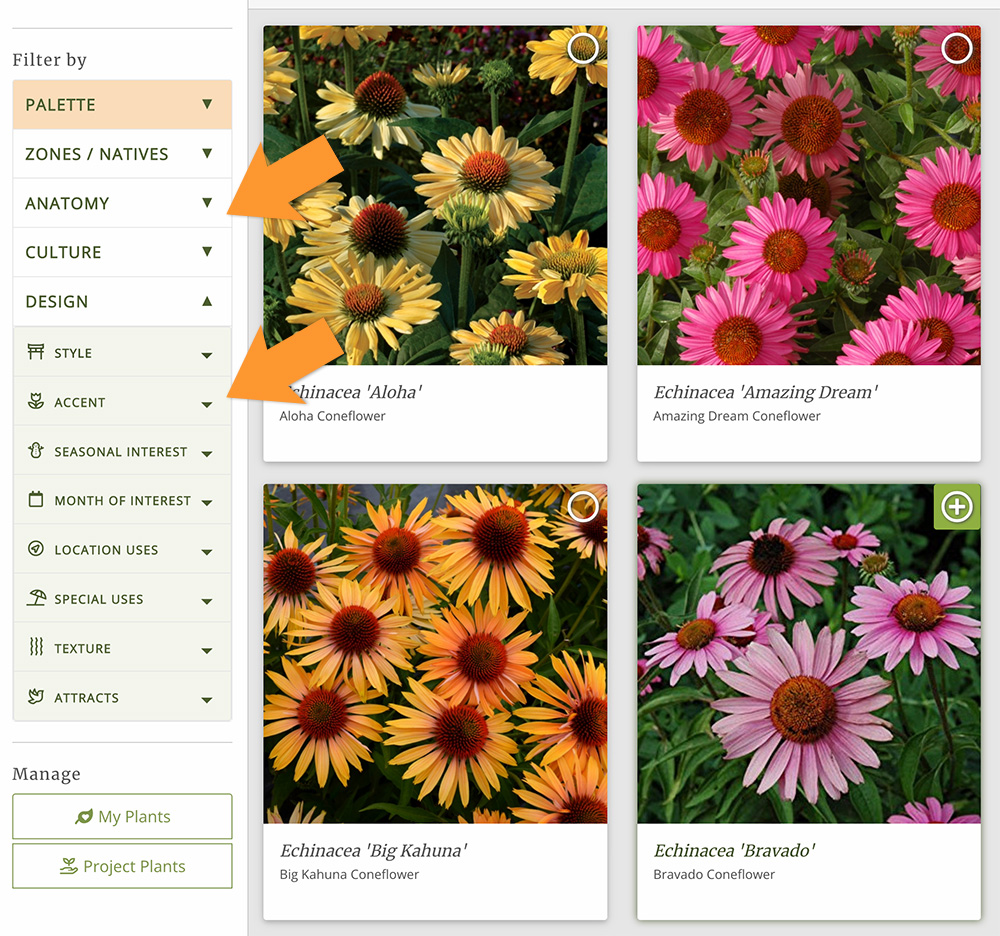
Find the right plants, faster.
You already have plants you use for most projects. The plant search is built for when you need to branch out – it might be a problem spot on the property, or your client wants something truly unique.
When you need to solve a specific design challenge, the plant search is the perfect way to figure out exactly which plants will work best.
Think of the plant search like the filtering tools on a shopping site, but built entirely around plant characteristics.
Instead of filtering by price or brand, you can filter by things like size, flower color, season of bloom, garden style, or what wildlife a plant attracts.
How it works.
The filters are meant to be combined.
Say a client has a backyard wedding coming up next year. Their color palette is yellow and blush colors. But there’s a shady spot that stays pretty wet.
You need a perennial that grows to about 2ft, can handle shade and wet conditions, and has yellow or pink flowers in June.
Start by using the filters to find plants for your USDA Zone. Then narrow to heavy shade conditions. Set the size to 1-3 feet.
Next, choose the yellow and pink flower colors and make sure the filter for month of bloom includes June.
Now you’re looking at the handful of plants that will work for this space. And it only took you a few seconds.

More filters, faster results.
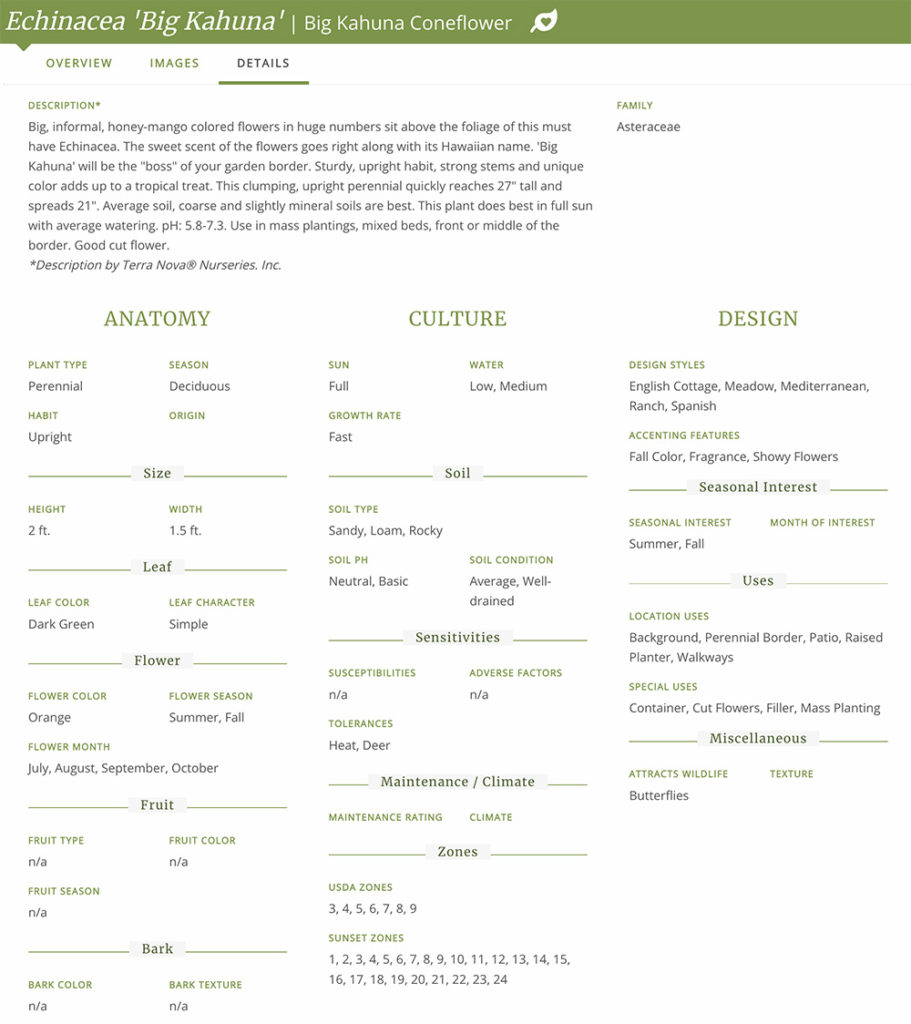
The plant search includes 500+ filters – more than any other plant search. With so many filters, we had to group them into five categories.
ZONE & REGION
USDA Zones, Sunset Zones, and regional natives. Not just “native somewhere” – native to your region.
PALETTES
Your own curated plant lists, used as filters. Start from plants you already know and trust, then narrow from there.
ANATOMY
Plant type, height and width, flower color and month of bloom, and more.
CULTURE
Sun, water, soil, growth rate. Will it actually perform where you’re putting it?
DESIGN
Design styles, location uses, season of interest, wildlife and more. Does it belong in this design?
Build quick lists of your most used plants.
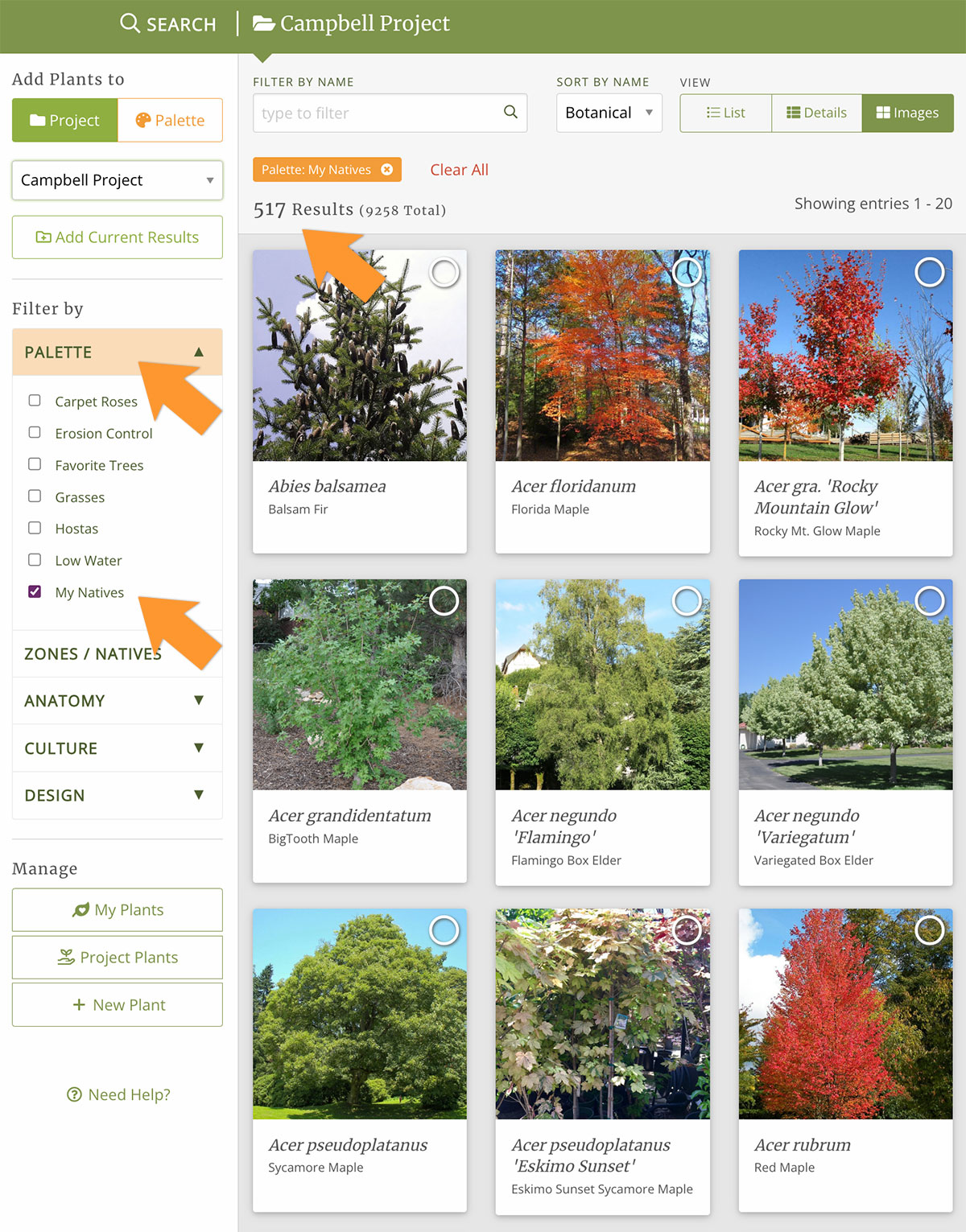
Every designer has a running list of go-to plants. You can create custom lists of these plants (we call them Palettes) and use them in your searches.
Palettes can be anything you need – your favorite plants, problem solvers, erosion control plants, or your favorite natives.
Once you’ve built a Palette, you can use it as a high-level filter. Instead of searching through the entire database, you can start from your own curated list – then narrow it down further from there.
Ready to try the plant search?
“Just a quick note to tell you that I continue to be amazed by PlantMaster. I’m usually in a hurry when I use it, wrapping up the files to pass along to a client, so I knew there were lots of features I wasn’t using.
But today, stumped on some fresh ideas for plants that bloom orange, I logged in to the plant search and OH. MY. GOSH!!!
There they all are, by zone, size, bloom color, etc… How did I not use this before now–silly me. Wow, just wow! This is exactly what I need. The program is fabulous!
Kelly Marshall | Kelly Marshall Garden Design